
Building the intelligence layer media professionals never had — real-time competitor ad spend, cross-screen audience reach, and AI-powered campaign strategy in one place.
A unified platform that eliminates the blind spots in advertising — giving agencies and brands real-time competitor spend data, cross-screen audience reach, and AI-powered campaign performance in one place.
Project: AdAtlas AI
Role: Product Designer
Work: Strategy,Product Design, Prototyping, Design System.
Platforms: Web Application (SaaS)

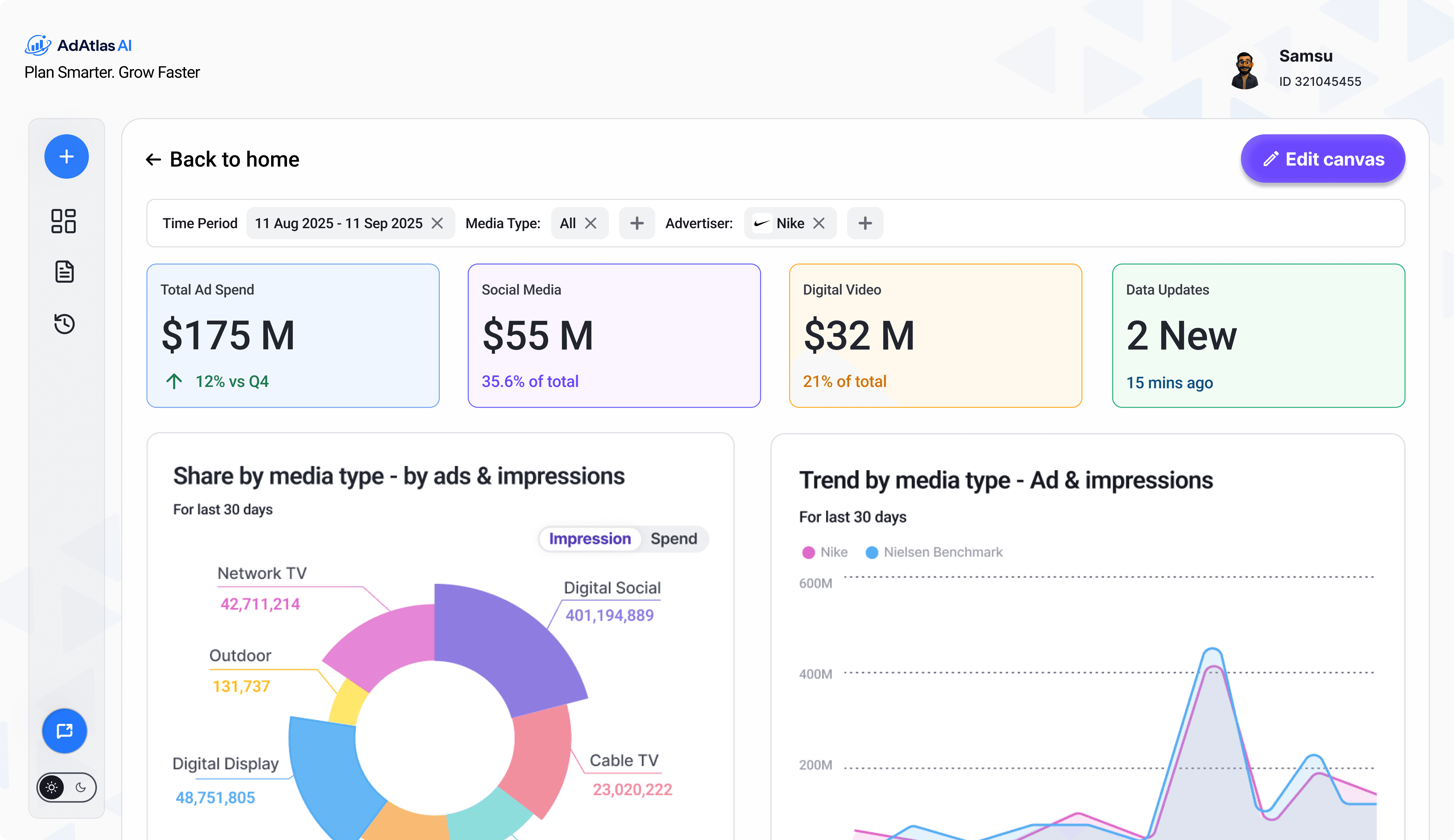
AdAtlas AI is a media intelligence platform that consolidates competitor ad spend, cross-screen audience reach, and campaign performance into one place. The AI surfaces market gaps in real time and generates strategy — so teams spend less time gathering data and more time acting on it.
During research, a media director told me: "By the time we figure out what a competitor did, the moment to respond is already gone." That single insight shaped every design decision in AdAtlas AI — every screen, every flow, every AI output was built around one question: how fast can this person go from a market signal to a decision?
CHALLENGE
Build a new AI-first competitive intelligence product — that does everything filters, dashboards, and manual workflows used to, through conversation alone.
The brief was to design a new AI product from the ground up — not to fix an existing tool, but to reimagine how competitive intelligence works entirely. No filters. No dashboards. No pivot tables. Users simply ask, and the AI handles the rest.
Research during the build — interviews, beta feedback, and usage data — surfaced 12 ranked pain points. Four were critical, each one blocking trust, adoption, or task completion before the product could succeed:
Low trust in AI accuracy — Users had to validate every AI output against the traditional tool before using results in client-facing work. The AI had potential but trust was the barrier.
Clunky, hard-to-learn UI — Customers described the existing experience as "not user-friendly," requiring prior product knowledge just to get started.
Slow, time-consuming data retrieval — Users reported slow dashboards, lengthy query runs, and tedious workflows just to pull basic competitive spend data.
Exact brand naming required — If a user didn't know the precise name and hierarchy structure in the system, queries returned nothing or misleading results.
Manual reporting with no shortcuts — Users relied on client lists, Google, and ChatGPT to find competitors, then built pivot tables manually before creating any report.
Solution
AdAtlas AI replaces the traditional tool entirely. Where users once needed expert knowledge, exact naming conventions, and hours of manual work — they now just ask. The AI handles search, discovery, analysis, and reporting conversationally. The design focused on making that shift feel natural and trustworthy from the very first query, across three phases:
Trust and usability foundation — Source-backed answers with filter transparency, precise error messaging, and natural-language workflows to replace rigid report-building.
Fuzzy search and brand discovery — The AI supports fuzzy matching, synonym handling, and "did you mean" recovery so users no longer need to know exact system nomenclature.
Reporting and analyst acceleration — Reusable report templates, scheduled competitive updates, and presentation-ready charts and exports generated automatically.
Guided competitor discovery — The AI proactively suggests relevant competitors, adjacent advertisers in-category, and alternate brand variants conversationally.
Strategic intelligence layer — Proactive alerts on competitor spend shifts, AI-generated insights, and personalised views by user type — analyst, buyer, strategist, or seller.
Design Process
An iterative, AI-assisted process — each phase informed the next, with continuous testing loops to validate decisions before moving forward.

My Role
As a UX Designer on AdAtlas Al, I was responsible for designing intuitive Al-powered experiences that help marketers uncover insights, analyze competitor activity, and make faster campaign decisions.

Design Strategy
Six decisions that shaped the product — each one traceable to a real user signal.
01
Prototype testing
Conversational entry — not a filter
Users defaulted to looking for a search bar. Made the AI prompt the unmissable hero element.
Filter habit → AI as entry point
02
Beta video sessions
Source attribution on every response
Users scanned for where data came from before trusting it. Now shown on every answer.
No source → Source on every reply
03
#1 trust barrier
"Show thinking" — visible reasoning
Instant answers felt suspicious. A visible thinking state builds confidence the answer was derived, not guessed.
Instant → Visible AI reasoning
04
Prompt log analysis
Fuzzy search + "Did you mean?"
Users typed brand names how they remembered them. Wrong spelling returned nothing. AI now absorbs naming complexity.
Wrong name → Fuzzy + recovery always
05
Manual reporting pain
Split canvas — chat + dashboard
Every workflow ended in Excel then PowerPoint. Split canvas closes the loop — answer and export in one view.
Exit → Done inside product
06
No existing patterns
AI component library — from scratch
No design system covered AI interaction. Built a dedicated library — the foundation for every future AI feature.
Target Audience
Research identified three distinct user types — each with different goals and a different definition of success. The design had to serve all three without compromising any of them.
Media Directors at agencies oversee multi-million dollar budgets across multiple client accounts. They need real-time competitor spend data by channel — without pulling it manually from four different tools every morning.
Brand Managers working in-house monitor rival campaigns daily and are under constant pressure to respond to market shifts faster than the competition. What they need most is an alert the moment a competitor moves — not a report about it two weeks later.
Strategic Consultants advise C-suite stakeholders on media investment and spend the majority of their time building competitive benchmarks and cross-screen reach reports by hand. Their need is simple — polished, data-backed executive decks in minutes, not days.
Qualitative Research
Where quantitative data told us how many users had a problem, qualitative research revealed why. I observed live customer interviews and VOC sessions via video call, reviewed prototype usability recordings, and watched real users interact with the product in beta — not just reading what they reported, but seeing what they actually did. That direct observation surfaced what data alone misses.
Observed · Prototype Sessions
Users couldn't find the AI entry point
In prototype sessions with the ambassador team, users instinctively looked for a search bar or filter panel — the muscle memory from the old tool. The conversational prompt wasn't obvious. Watching this happen in real time — not reading a survey — is what led to redesigning the entry point entirely.
Observed · Beta Video Sessions
Users scanned for a source before trusting
Video session analysis showed a consistent behaviour — users read an AI answer, paused, then scrolled looking for where it came from. They weren't rejecting the answer; they needed to see it was grounded. This behavioural pattern, not any survey score, is what drove the source attribution design decision.
Observed · Prompt/Output Review
Users typed differently than expected
Reviewing real prompt inputs revealed users typed brand names the way they remembered them — not the way the system stored them. Partial names, common abbreviations, parent company names. Watching real query patterns, not assumed ones, directly shaped the fuzzy search and "did you mean?" interaction design.
What user say about Adatlas AI and its design
"I didn't have to think about which filter to use. I just described what I wanted and it found it."
Beta User
Customer interview - AI Reliability
"This is actually how I wish the tool always worked — I just asked and it gave me exactly what I needed."
Beta User
Customer interview - Brand Matching
Oh — so the chart just updates when I ask? I thought I'd have to go somewhere else to see it.
Beta User
Customer interview - Reporting Workflow
Quantitative Research
Mixed-methods approach — customer interviews, VOC sessions, beta feedback, usage reports, and raw prompt logs. Quantitative signals confirmed which problems were widespread patterns, not isolated complaints.
Pain Points Ranked
Explainable AI outputs
Scored and ranked by severity across all data sources. Each problem rated on impact to adoption and task completion:
Critical
4
High
5
Medium
3
Quantitative Data Sources
3
Three data streams provided the numbers behind the pain points — each measuring a different type of user signal:
Beta Feedback
Usage Reports
PromptLogs
Silent Signal
Regen Rate
Prompt logs revealed a high regeneration rate on AI responses — users weren't explicitly complaining, but they were rejecting outputs silently. A critical quantitative signal that confirmed the trust gap before users said a word.
Top Themes Confirmed by Data
AI Accuracy
Every data stream pointed here — users double-checked, regenerated, and abandoned outputs at the same step. The pattern was consistent across all beta users.
Complexity
Usage reports showed high drop-off at the query stage. Users started a search and stopped — the entry point created friction before they even got to a result.
Manual Reporting
Prompt logs showed users asking for raw data, then disappearing — exiting to build reports manually in Excel rather than using the product's output directly.
Product Status
Beta · 2025
Actively iterating on every finding
Interaction UX Process for Generative AI
Since AI replaced a workflow users were used to doing manually, I designed lightweight feedback points at each AI step to gauge trust and output quality:
Thumbs up/down + comment — quick signal on whether an output was useful, with optional context on why
Star rating (1–5) — used in testing to capture quality more precisely than a binary up/down
Accept / Edit / Regenerate tracking — showed whether users trusted outputs as-is, tweaked them, or rejected them
Regeneration rate — a high rate on any step flagged that the AI output wasn't landing, even without explicit negative feedback
AI Behaviour Framework · By User Role
Defined what the AI must do, must never do, when to flag uncertainty, and what's at risk if it gets it wrong — for each of the five user types on the platform.

Business Impact
New product. Built from zero. Replaced a complex legacy tool with a single AI-driven interface — designed, validated, and shipped to Nielsen's enterprise clients.
Research Prevented Costly Mistakes
4 trust & usability blockers caught in prototypes — before development started. Prevented costly post-launch rework.
In enterprise AI, one trust failure at launch can stall adoption permanently.
Hours of Work → One Query
Manual filters, exports, deck-building — 3–4 hrs per report — replaced by a single AI query.
Just ask the AI for the top spenders in a category." — Beta user
Full UX Foundation Shipped to Prod
IA, AI interaction patterns, and a new component library — none of which existed before. Engineering shipped directly from my designs.
Not a concept. In production.
Beta Live · Iteration Ongoing
Live with real enterprise users. Each cycle driven by video sessions, prompt analysis, and ranked issue logs — structured, not ad hoc.
Research rigour is now embedded in how the team ships.
What This Shows
Enterprise AI fails when users don't trust the output — not when the data is wrong. Every decision here was made to close that gap. The foundation I built is what AdAtlas AI scales from.
Atlas Final Product Design
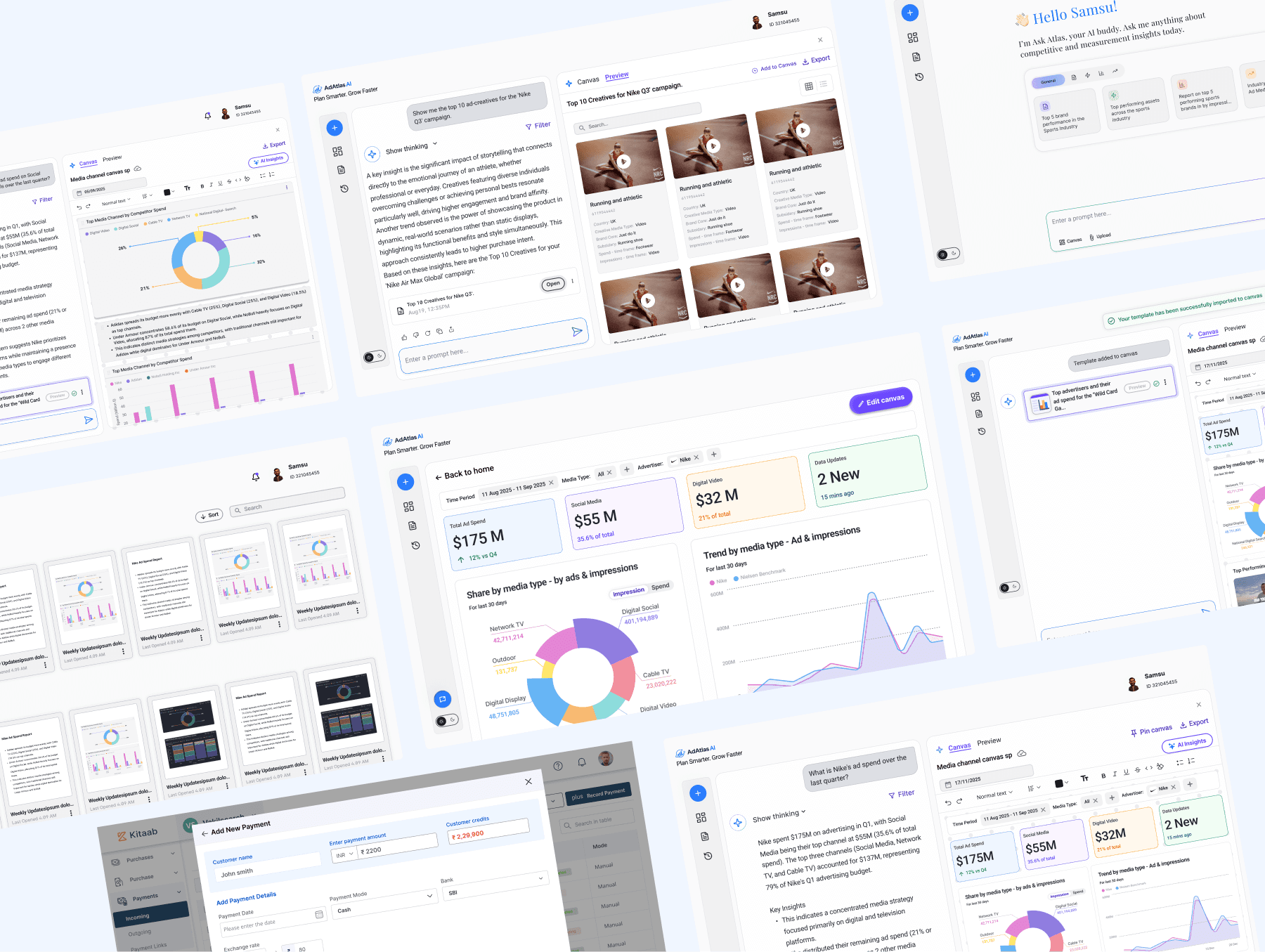
Related Works
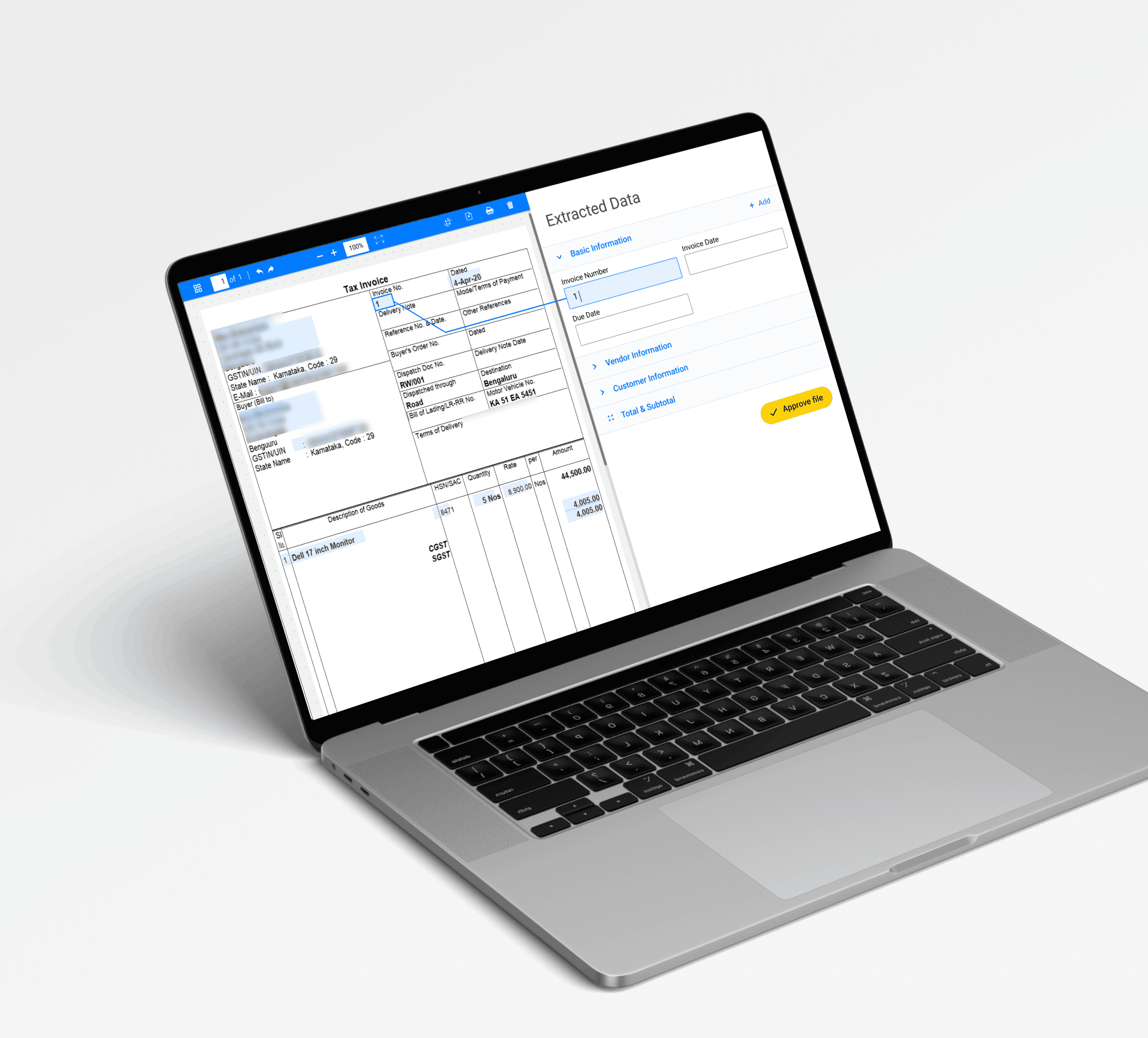
Smarti • Web portal
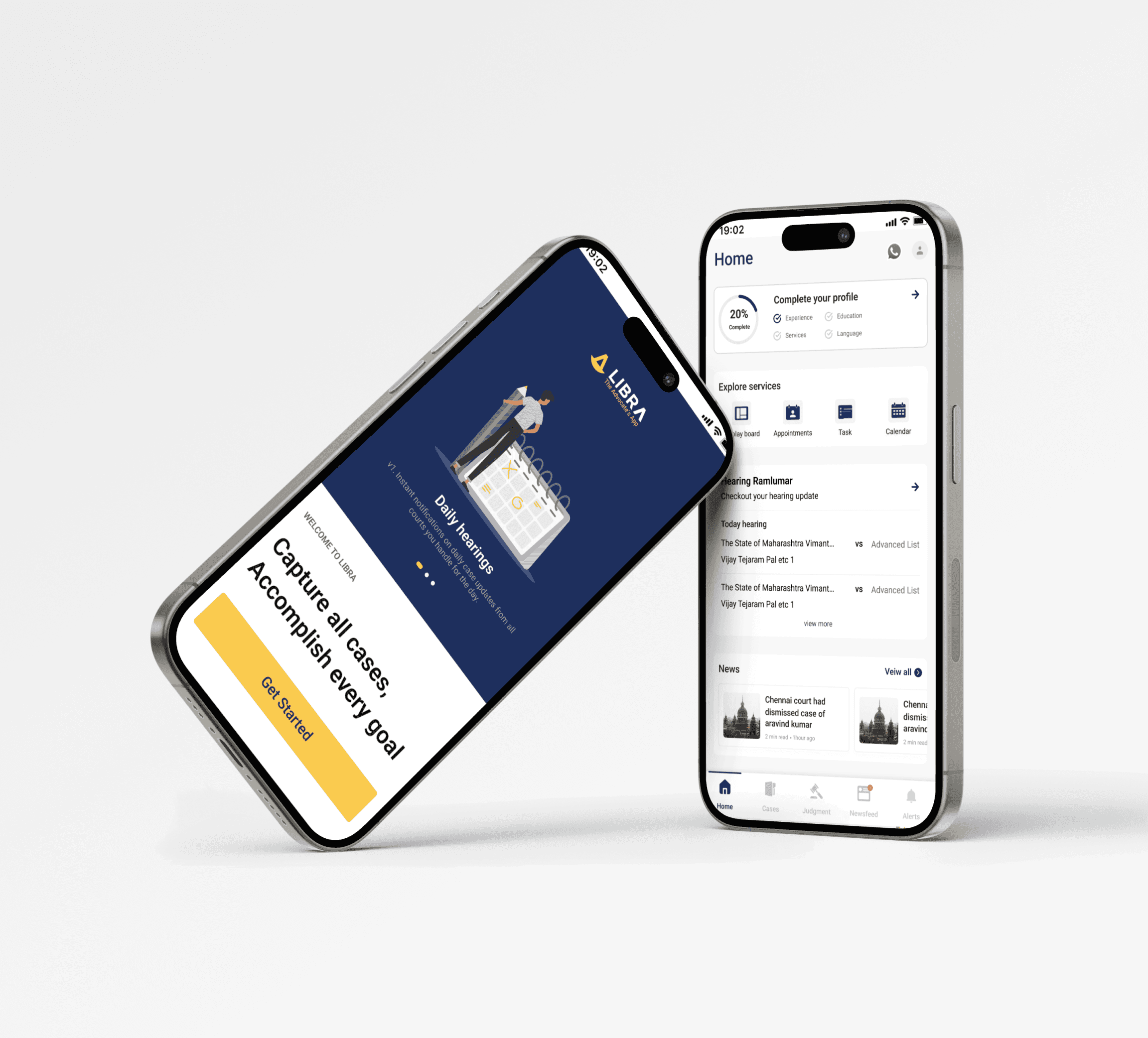
Libra • SAAS product
Let's talk,
samsusmsu123@gmail.com